
The admin dashboard
The dashboard is the administrator’s landing page. It is built from widgets rather than fixed panels, so what it shows is whatever the space has chosen to put on it.
What the dashboard is good for
Section titled “What the dashboard is good for”An administrator who has just signed in needs to get their bearings: what is happening with courses and what with people. The dashboard is the first screen they see, and it is built from widgets, so it shows what the space has chosen rather than a fixed set of panels.
Where that helps:
- A landing page for whatever you are working on. A new space starts with an empty dashboard. With the plus on the Vaše kurzy or Uživatelé tab you add the widgets you want to see right after signing in. The administrator does not start the day at a default overview nobody asked for.
- Courses and people kept apart. The two tabs are separate boards. You arrange course widgets on one and user widgets on the other, so each board reads on its own.
- A Premium decision with something to go on. Management wants learner overviews and course progress. The Reporty tab says this is a Premium feature, names what it would show and links to pricing. You know what you would get and where to find the price before you ask anyone.
Which widgets exist and what the dashboard looks like once configured is not documented yet. The rest of this page explains what is on the screen and what only comes with a Premium plan.
The screen
Section titled “The screen”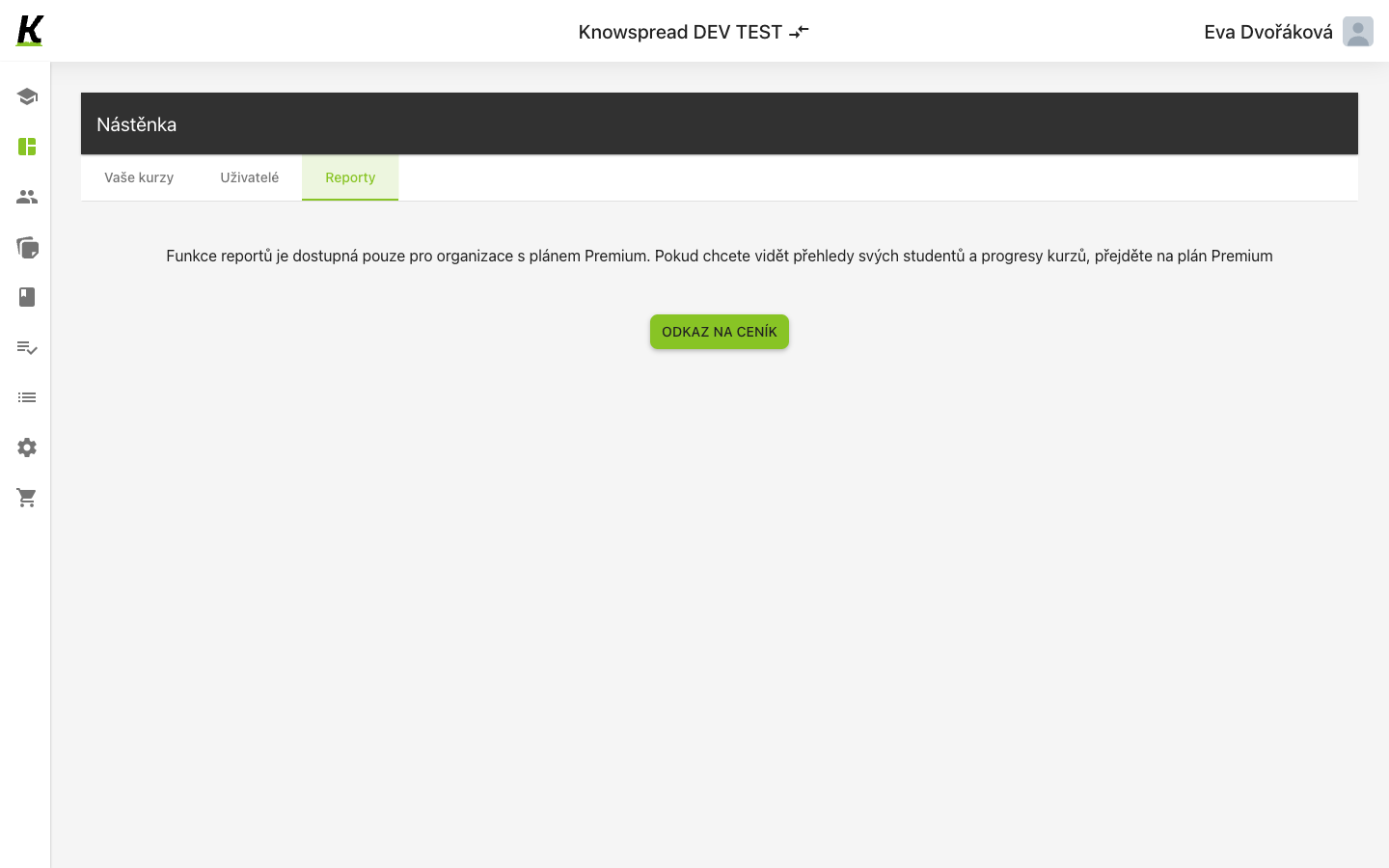
- (1) Three tabs divide it: Vaše kurzy, Uživatelé and Reporty.
- (2) The reports tab does not show reports here. It explains that the feature belongs to the Premium plan.
- (3) Odkaz na ceník goes to the pricing page.
What is and is not included
Section titled “What is and is not included”Reports are a Premium feature. The tab names what they would show — learner overviews and course progress — and links to pricing instead of hiding the option.
The other two tabs are widget boards. Each starts empty with a plus to add a widget, so a new space sees an empty dashboard rather than a default one.