
Buying content
Buying content is the only journey that leaves Knowspread. The marketplace is a separate site with its own address, its own sign-in and its own checkout, and the field that decides which of your organisations pays is on it — set to neither the space you came from nor, by default, the one you want.
1. Start from what you already have
Section titled “1. Start from what you already have”Obsah lists everything the space owns. A new space is not empty — six courses come with it — so the question is never “how do I get content” but “how do I get the content I need”.
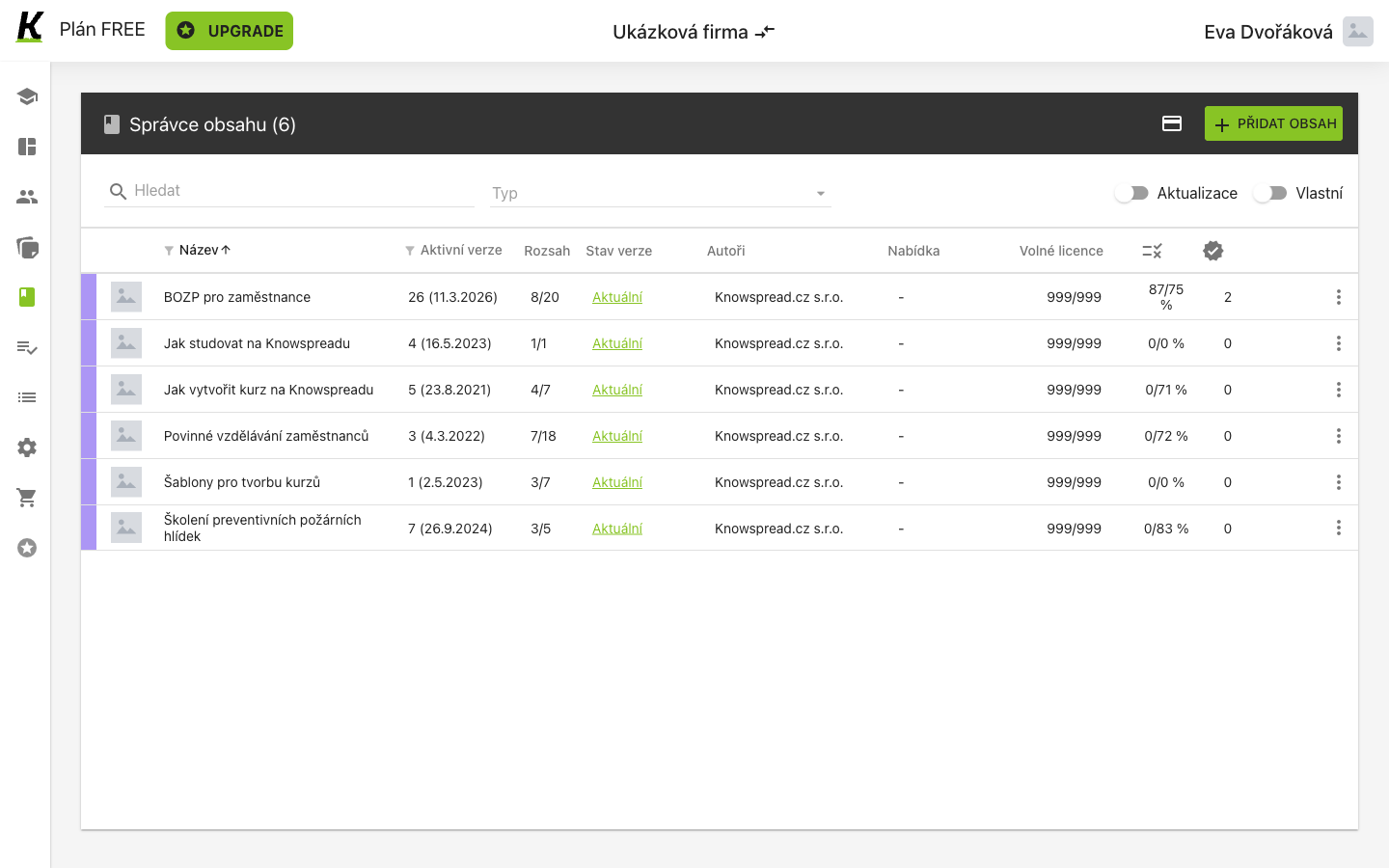
- Six rows, each with 999/999 free licences (1) — the starter courses are effectively unlimited, which is why assigning works before buying.
- PŘIDAT OBSAH does not buy anything (2). It opens Vytvořit nový obsah — writing a course yourself, which is a different journey entirely.
- Katalog kurzů in the rail is where buying happens (3). It opens a new tab on a different site.
The rail item has no address of its own. It opens
www.knowspread.com/trziste, the public marketplace, in a second tab — so
the browser’s back button will not return you to the app.
2. Find something in the catalogue
Section titled “2. Find something in the catalogue”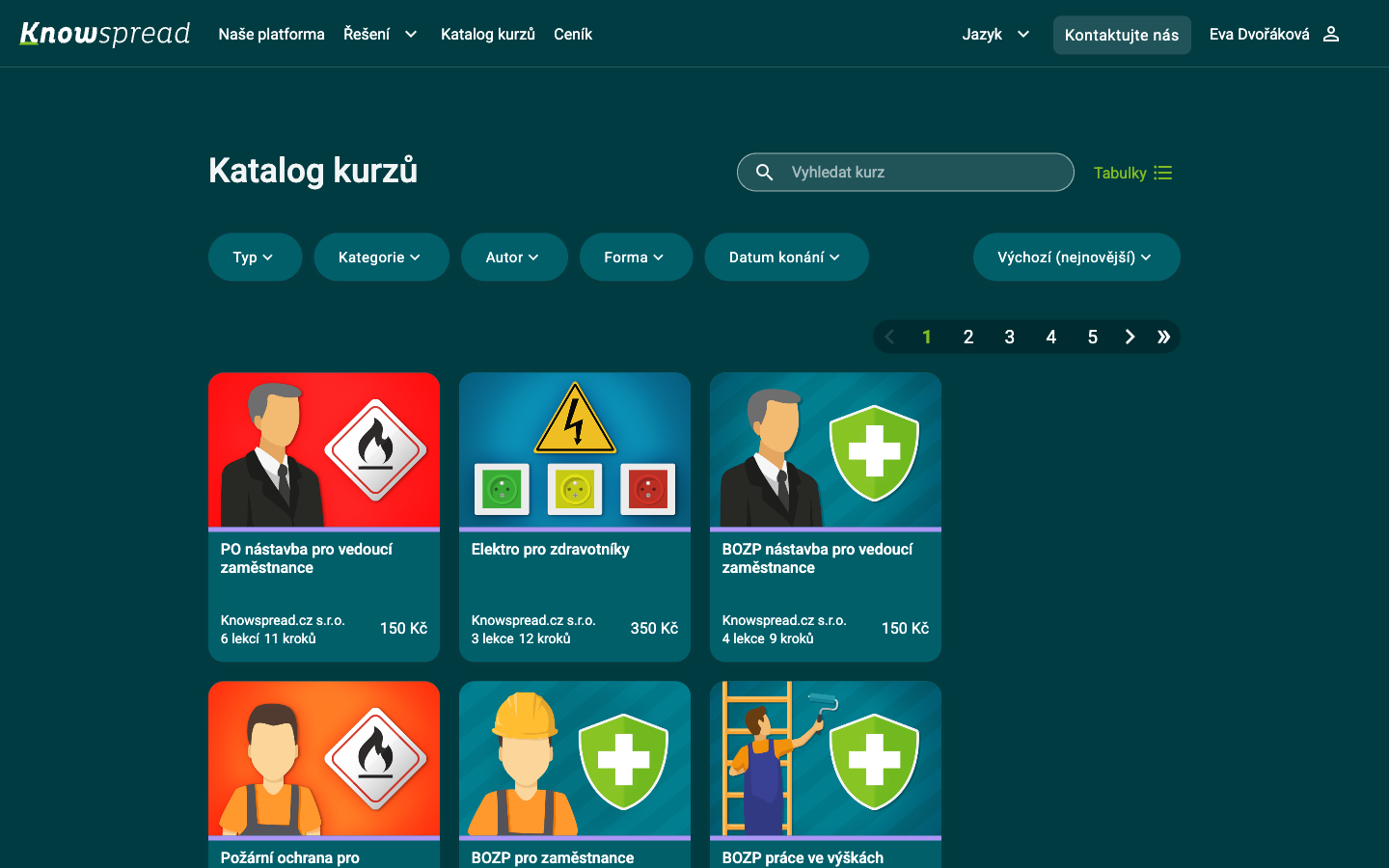
- Vyhledat kurz searches titles (1).
- Five filters narrow the list (2): type, category, author, form and date, each with its own Zrušit vše. Sorting sits at the right.
- A card carries what you need to choose (3): title, vendor, size in lessons and steps, and the price per licence.
The catalogue is public. You are signed in — your name is in the corner — but nothing here is specific to your space, which is why the price on a card is the single-licence price rather than yours.
3. Read the price, then check who is buying
Section titled “3. Read the price, then check who is buying”The detail page is where the money is decided, and it holds one control that deserves a second look.
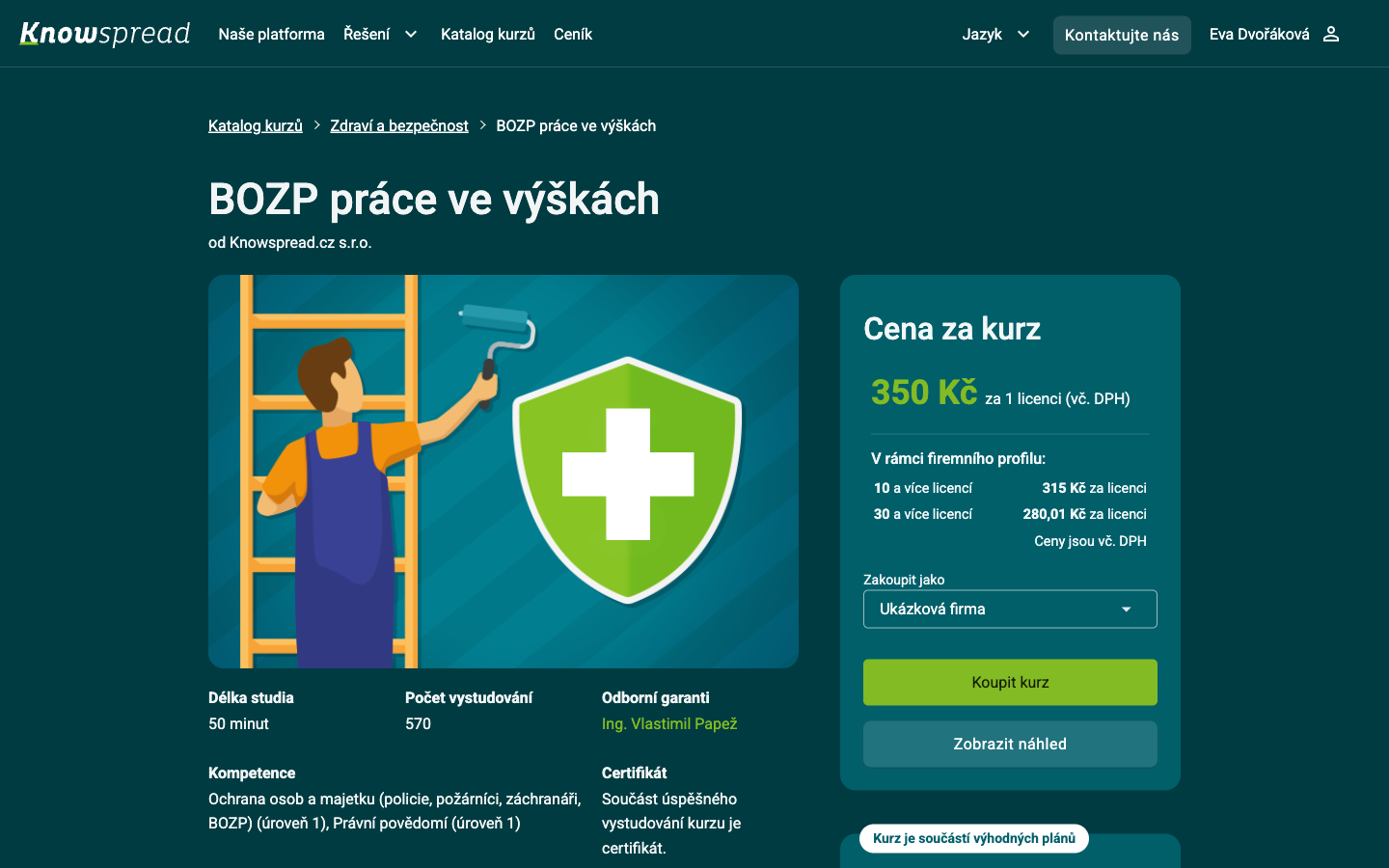
- The headline price is per licence, VAT included (1).
- V rámci firemního profilu lists the volume tiers (2): ten licences and up, thirty and up. The saving is real and it is the reason to decide how many people need this before buying one.
- Zakoupit jako names the organisation that will own the licences and receive the invoice (3).
- Koupit kurz starts the checkout (4). Zobrazit náhled below it opens the course without buying, which is the cheaper way to find out whether it is the right one.
Zakoupit jako does not follow the space you came from. It defaults to the first organisation in your account, alphabetically. On the account this journey was captured with — a member of 37 organisations — the default was a company that had nothing to do with the space the reader had just left. If you administer more than one space, this is the field to check before every purchase.
When the selected organisation already owns the course, Kurz máte zakoupen appears under the buttons. Selecting a different organisation is how you find out whether it owns it.
4. Choose how many, and how to pay
Section titled “4. Choose how many, and how to pay”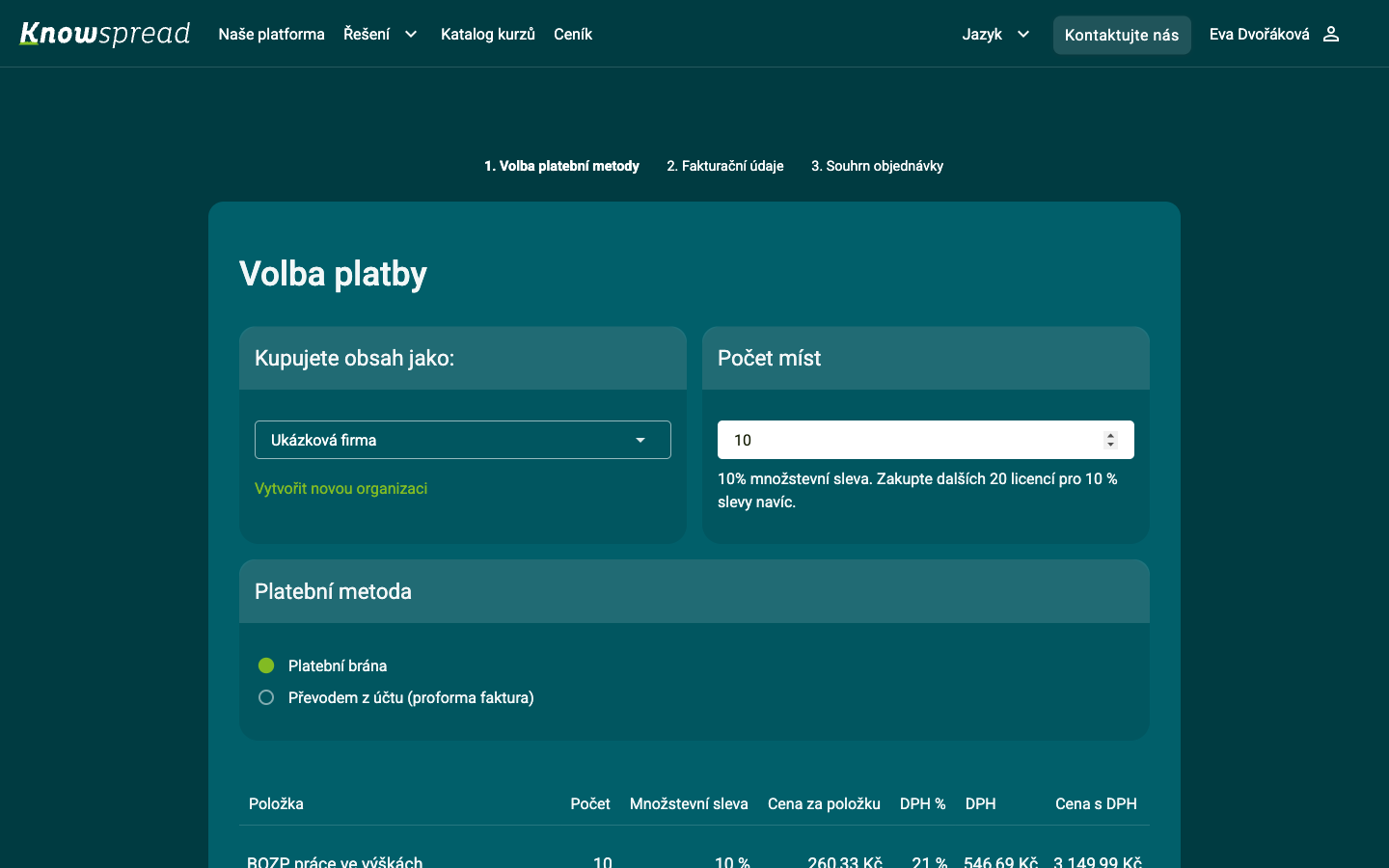
- Kupujete obsah jako carries the organisation forward (1), and Vytvořit novou organizaci below it is a third way to start a space.
- Počet míst is the number of licences (2). Typing a number reloads the page with the price recomputed — what looks like one screen is two.
- The notice reports the discount you have and names the next one (3): at ten seats it reads “10% množstevní sleva” and points at twenty more.
- Platební metoda offers a payment gateway or a bank transfer against a proforma invoice (4). The gateway is selected for you.
The order line below the fold shows the arithmetic: ten licences at the tier price, VAT, and the total. Two steps follow — Fakturační údaje and Souhrn objednávky.
Where this leaves you
Section titled “Where this leaves you”Next: inviting people if you have not yet, then grouping them so a plan can reach more than one person at a time. For the content list itself — every column, every version state — see content.