
Publishing a version
A draft can be edited forever and assigned to nobody. Publishing is what makes content real, and it is the only action in these journeys that Knowspread stops to warn you about — because an active version can never be edited again.
1. Get to “Vše dokončeno”
Section titled “1. Get to “Vše dokončeno””Nothing can be published while anything is unfinished. The pill that counted the problems is also how you know you are done.
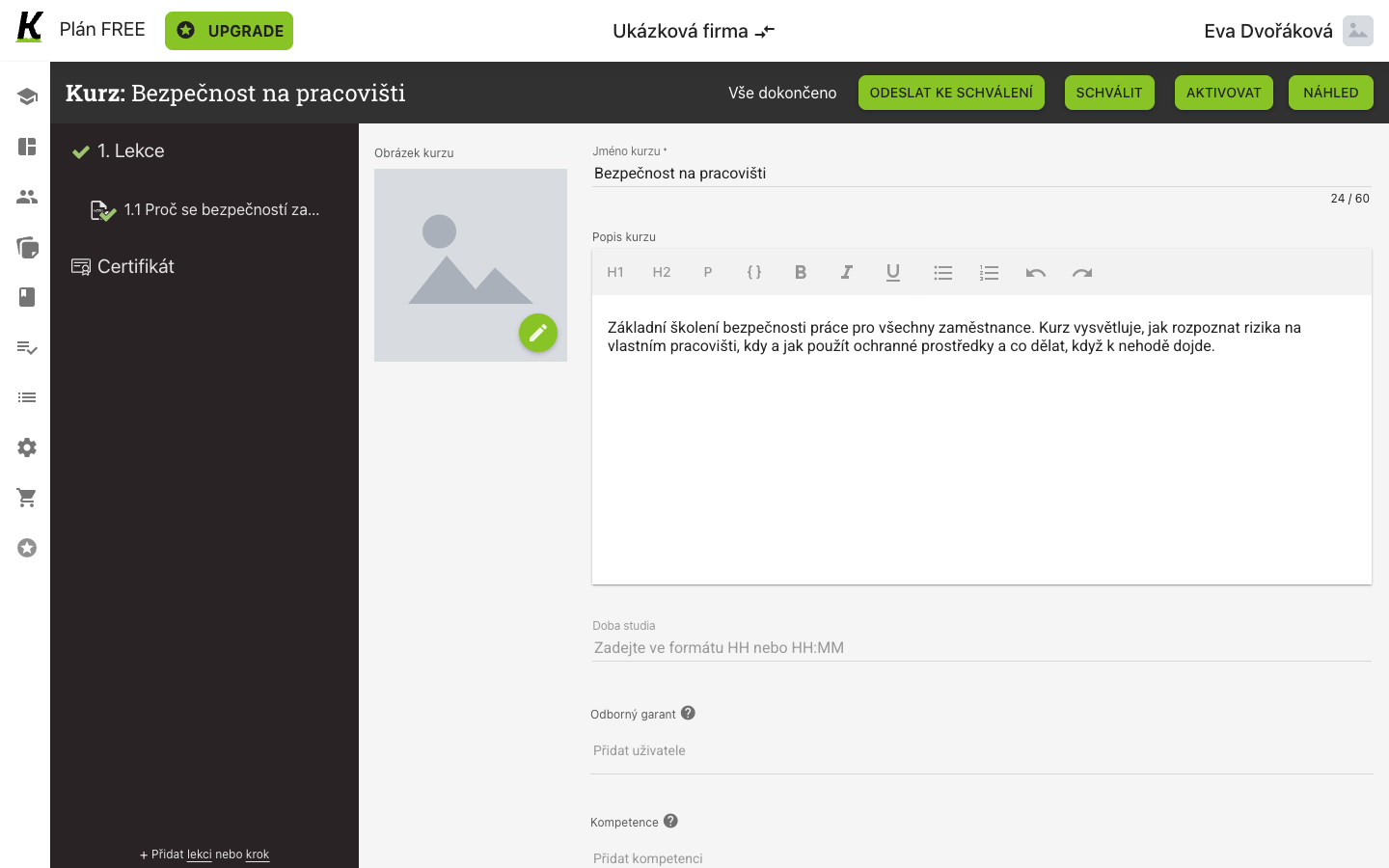
- Vše dokončeno replaces the count (1) — the label switches rather than counting down to nought.
- ODESLAT KE SCHVÁLENÍ hands the draft to whoever approves content (2), without publishing it.
- SCHVÁLIT marks it approved (3). Still not published.
- AKTIVOVAT is the one that publishes (4).
The lesson and step rows in the left column gain green ticks as they become valid, so the structure shows its own state without the list below.
2. See what exists before you publish
Section titled “2. See what exists before you publish”The Verze tab is the content’s history. Before publishing it holds exactly one row.
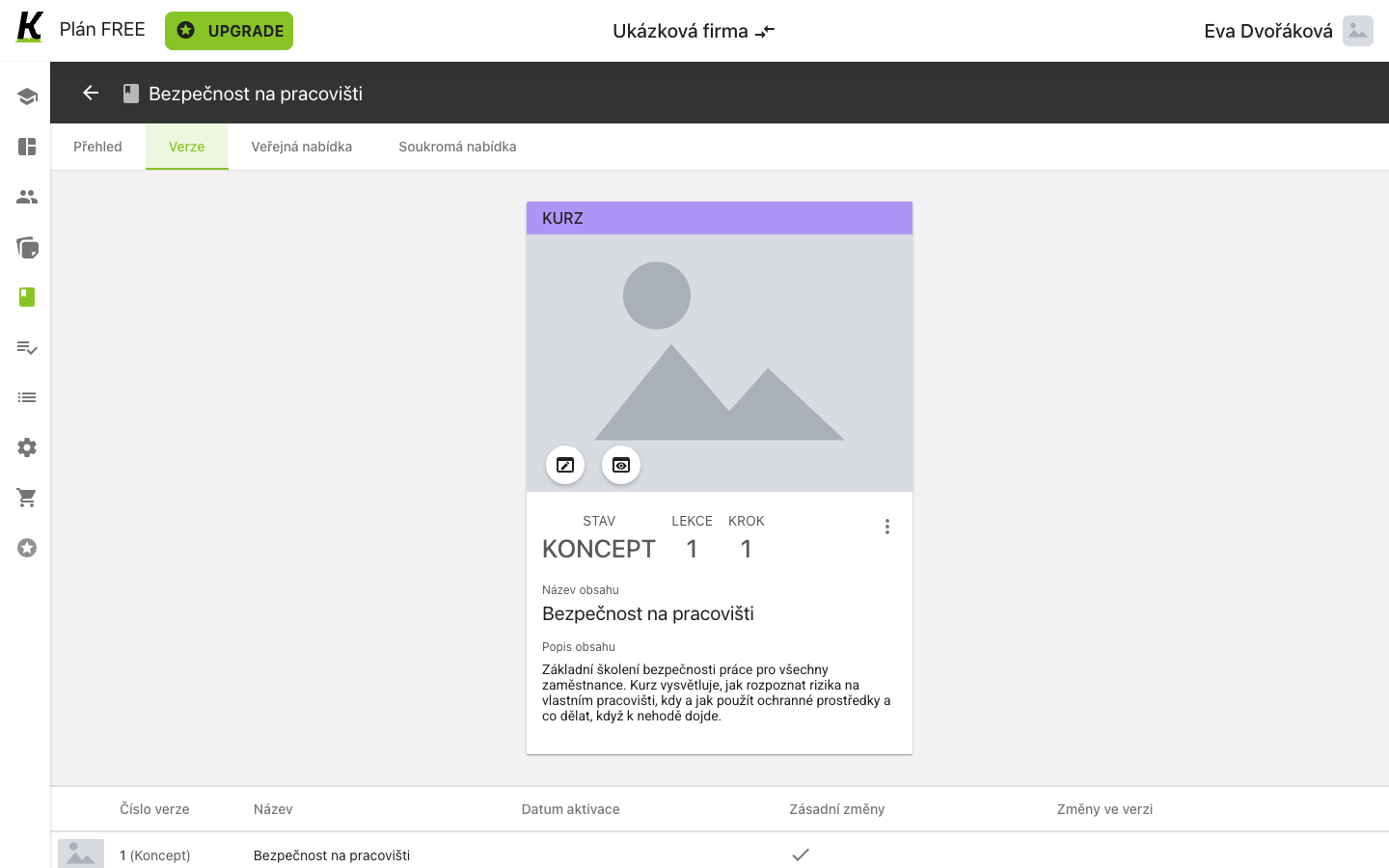
- The card repeats the state as a badge (1): KONCEPT, one lesson, one step.
- The description you wrote is what a learner will read before starting (2) — it is not an internal note.
- Datum aktivace is the column that is empty (3), and filling it is what publishing means.
Versions are numbered from 1 and the number does not change. A published version keeps its number forever; the next set of edits becomes version 2.
3. Read the warning
Section titled “3. Read the warning”AKTIVOVAT does not act immediately. It explains itself first, and this is the paragraph worth reading twice.
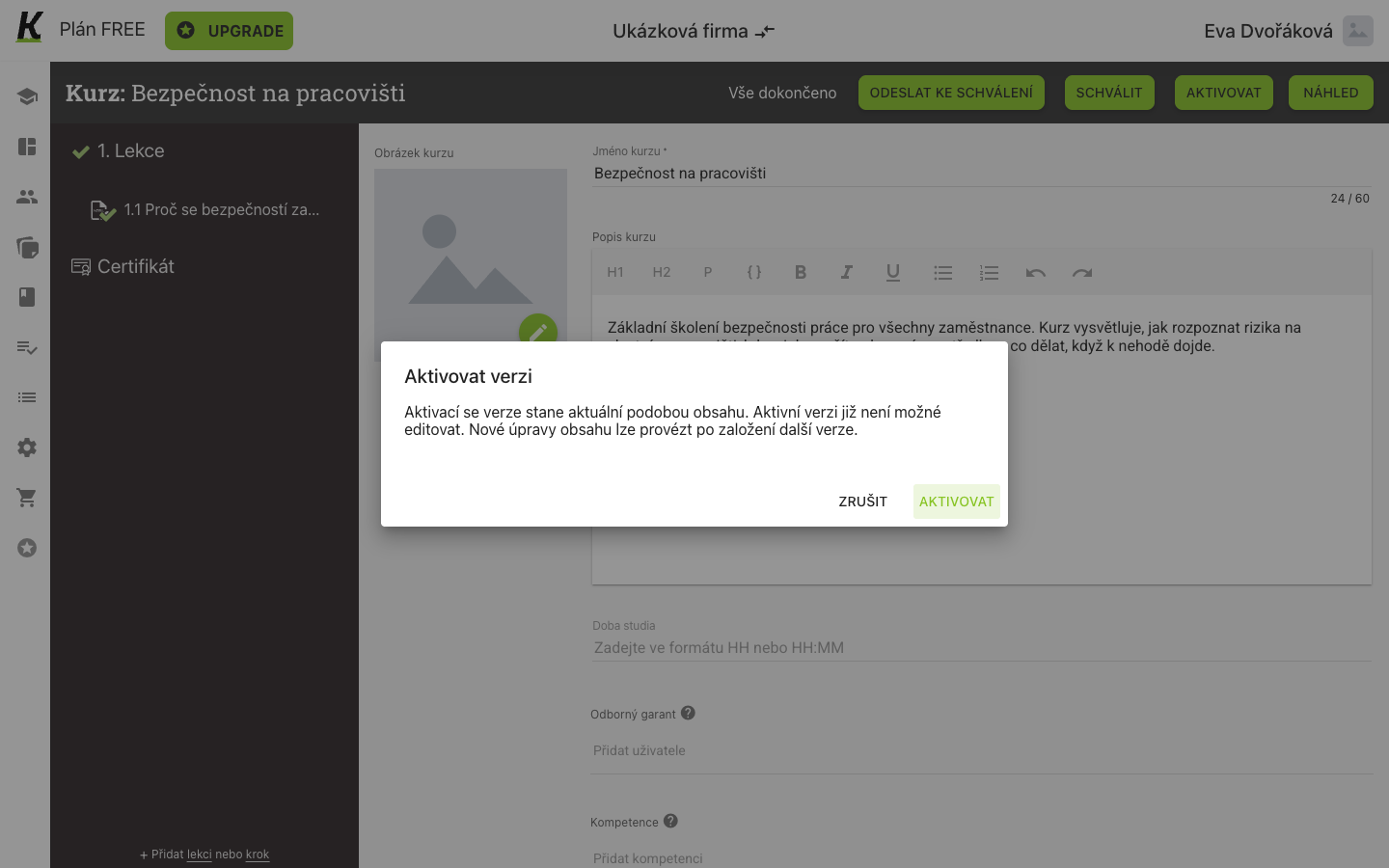
- “Aktivní verzi již není možné editovat” is the whole versioning model in one sentence (1). Further changes require founding another version.
- ZRUŠIT leaves the draft as it was (2).
- AKTIVOVAT publishes (3).
The dialog also says the activated version becomes the current shape of the content — so anyone who already had this course assigned moves to this version.
4. Land on a locked version
Section titled “4. Land on a locked version”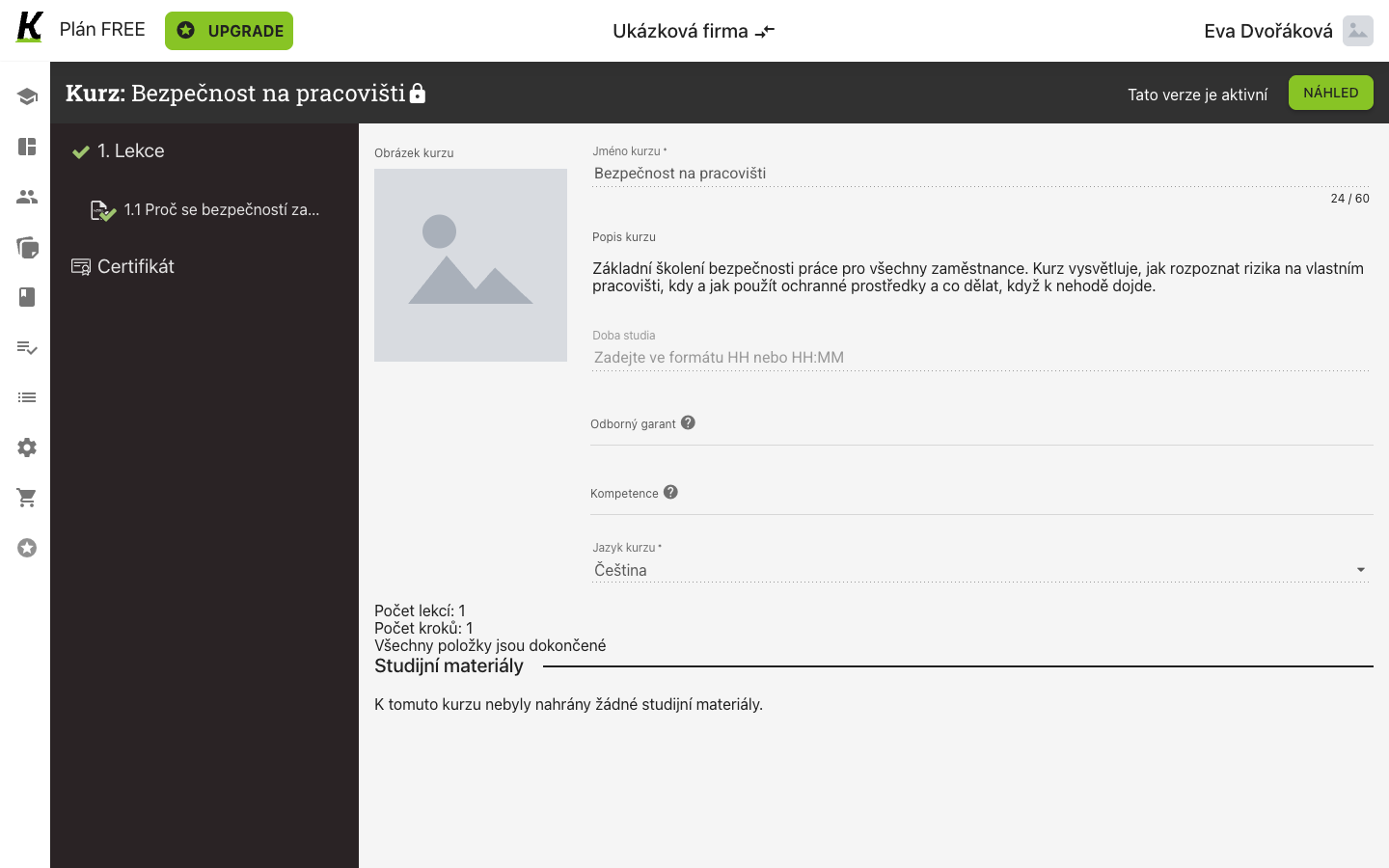
- A padlock joins the course’s name (1).
- Tato verze je aktivní stands where the action bar used to be (2) — send, approve and activate are all gone.
- NÁHLED is the only button left (3): you can look, not change.
The fields are still on screen and still readable — only the underlines change from solid to dotted. The screen tells you it is locked by what it removed, not by hiding what it kept.
Where this leaves you
Section titled “Where this leaves you”A course of your own with an active version, sitting in the content list beside the bought ones and ready to be put in a study plan.
What a new version does to people already studying is decided per assignment, not per version. The assign-content dialog in building a plan carries a switch called Přiřadit znovu při zásadních změnách, and its footnote is explicit: if a version with substantial changes is activated, those learners’ progress is voided and the content is assigned to them again.
Next: building a plan to put the course in, and assigning it to a group — which is where content finally meets people. See study plans for the plan screen itself.