
Your profile
Every other guide here is for someone administering a space. This one is for everybody: it is reached from your own name in the top right, and it is where you change what the space knows about you.
The screen
Section titled “The screen”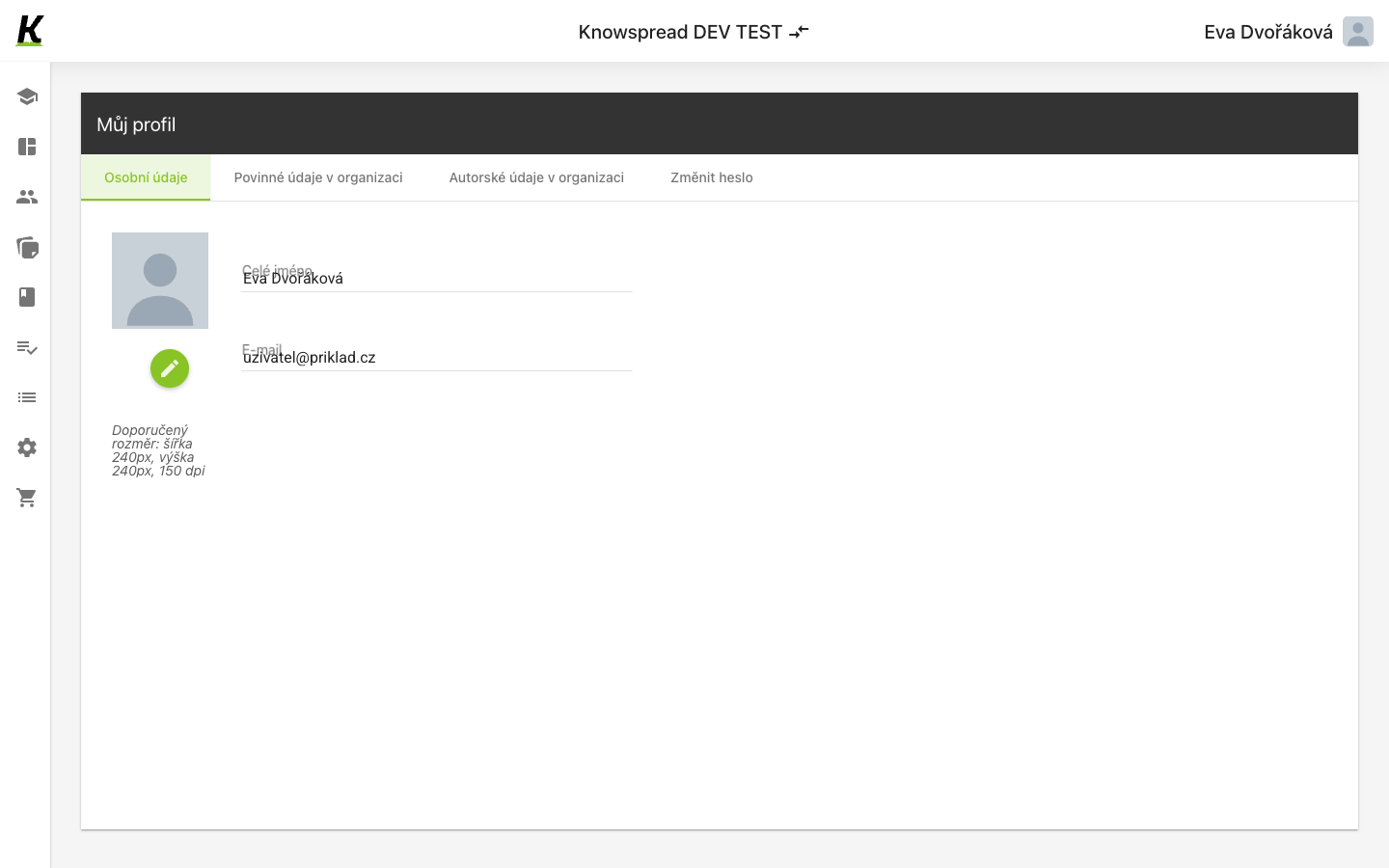
123
- Four tabs (1): personal details, details the organisation requires, author details, and changing your password.
- Your photo sits on the left, with a pencil to replace it (2). The note under it asks for 240 by 240 pixels at 150 dpi.
- Name and e-mail are the personal details (3).
The tabs are three different owners
Section titled “The tabs are three different owners”Osobní údaje are yours. Povinné údaje v organizaci are the ones the space requires — the switches on user details decide which appear here. Autorské údaje apply if you write content.
Changing your password is a tab here, not a separate screen, and sits beside the details rather than under a security heading.
What to watch for
Section titled “What to watch for”A person’s name and address live in this form’s field values rather than in its rendered text. That is invisible to anything reading the page as text, which is worth knowing for anyone scripting against this screen.