
API credentials
An integration authenticates as the company space, not as a person. The credentials it uses are issued here, under organisation settings.
Issuing one
Section titled “Issuing one”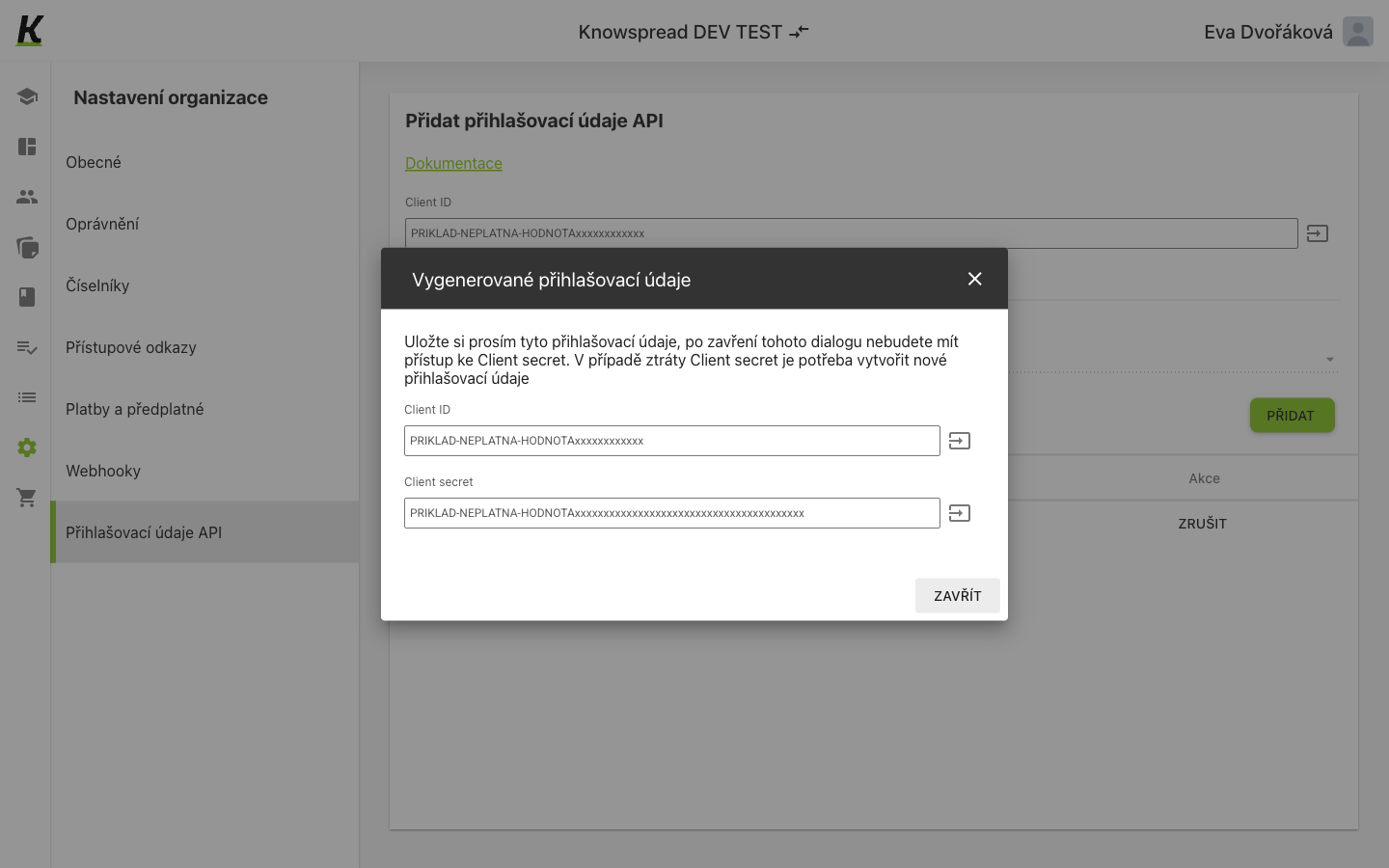
- Give the credential a name, choose the API version and select Přidat. The dialog appears immediately, carrying the Client ID (1).
- Below it is the Client secret (2). Both have a copy button.
- Zavřít dismisses the dialog (3) — and that is the moment the secret becomes unavailable.
The secret is shown once
Section titled “The secret is shown once”The dialog says so plainly: after it closes you no longer have access to the Client secret, and losing it means creating a new credential. Copy it before closing.
The space has a Client ID of its own, visible on the screen even before any credential exists. The ID identifies the space; the secret is what each issued credential adds.
Removing a credential is a revoke, not a delete — the action
calls POST /api/v1/company_spaces/api_credentials/{id}/revoke.
What the credential is for
Section titled “What the credential is for”The pair is what POST /rest/v1/auth/token expects as client_id
and client_secret. It returns a bearer token for the REST API — see
authentication for the exchange itself.
The credential belongs to the company space, so it carries the space’s access rather than any one person’s. Removing a colleague’s account does not revoke it.
In a personal space this screen shows Nemáte žádné přihlašovací
údaje because GET /api/v1/company_spaces/api_credentials answers 403 — an
empty state standing in for a refusal. See access links
for the same pattern.