
Permissions
Managing users and administering the space are two different rights. The user list is where you work with people; this screen decides who is allowed to work there at all.
Promoting someone
Section titled “Promoting someone”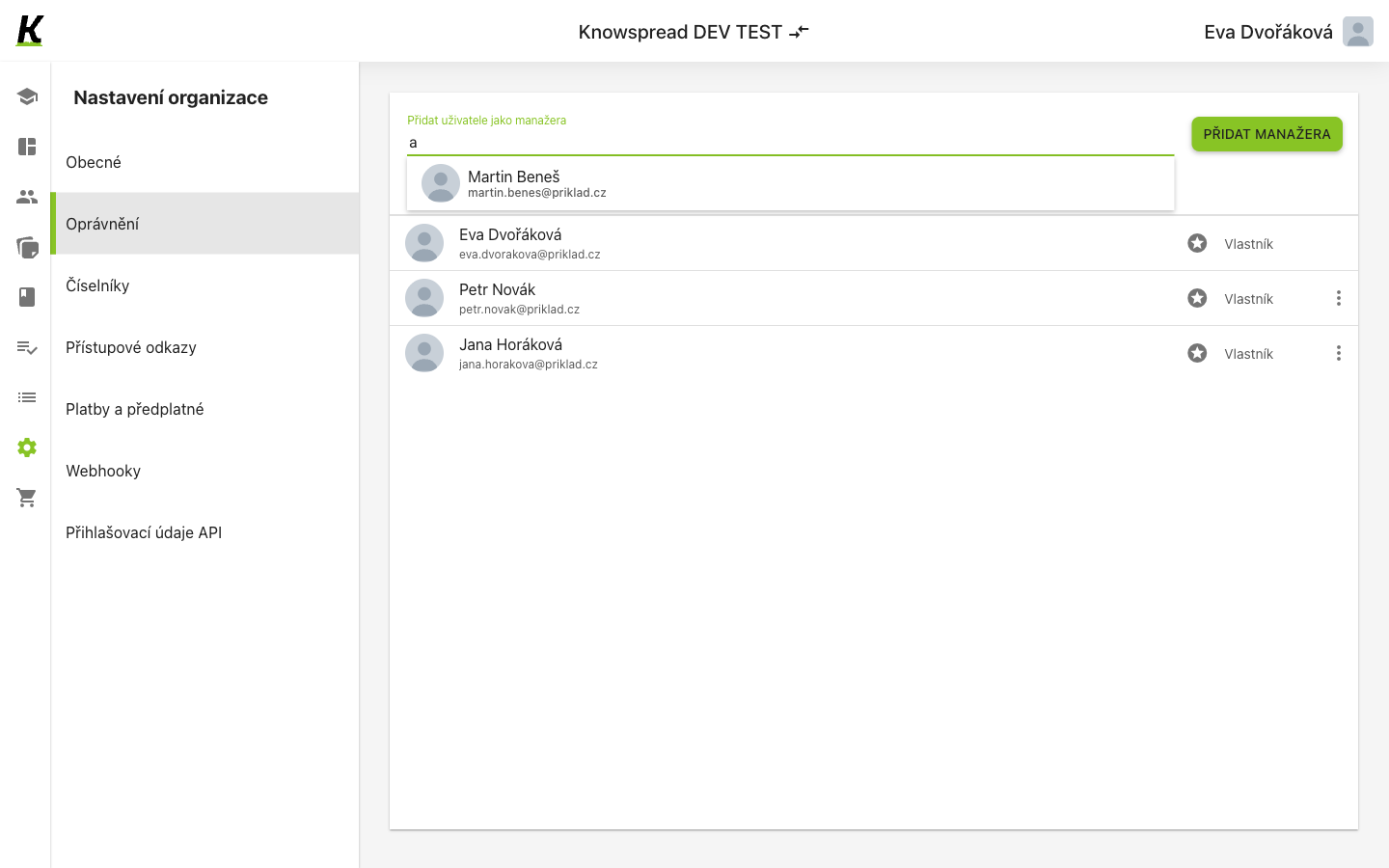
123
- Start typing a name or address in Přidat uživatele jako manažera (1).
- The field searches as you type and offers matching people (2). It looks only among accounts that already exist in this space — a manager is promoted, never invited from here.
- Pick someone and select Přidat manažera. They join the list below, where each row shows the person and the right they hold (3).
Owner and manager
Section titled “Owner and manager”More than one account can hold the owner right. This space lists three people, all marked Vlastník.
What to watch for
Section titled “What to watch for”This screen shows the right, not the person’s behaviour — nothing here says whether a manager is still active.
That makes the list worth re-reading whenever someone changes role or leaves, because the screen will never prompt you. Inactivity is visible in the user list instead.