
Inviting people
A space with nobody in it has nobody to assign learning to. This journey adds the first person and shows how to tell, afterwards, whether they ever arrived — which is the part support gets asked about, not the invitation itself.
1. Start from the user list
Section titled “1. Start from the user list”Uživatelé in the left rail is the whole of user administration. A space nobody has been invited to shows one row: you.
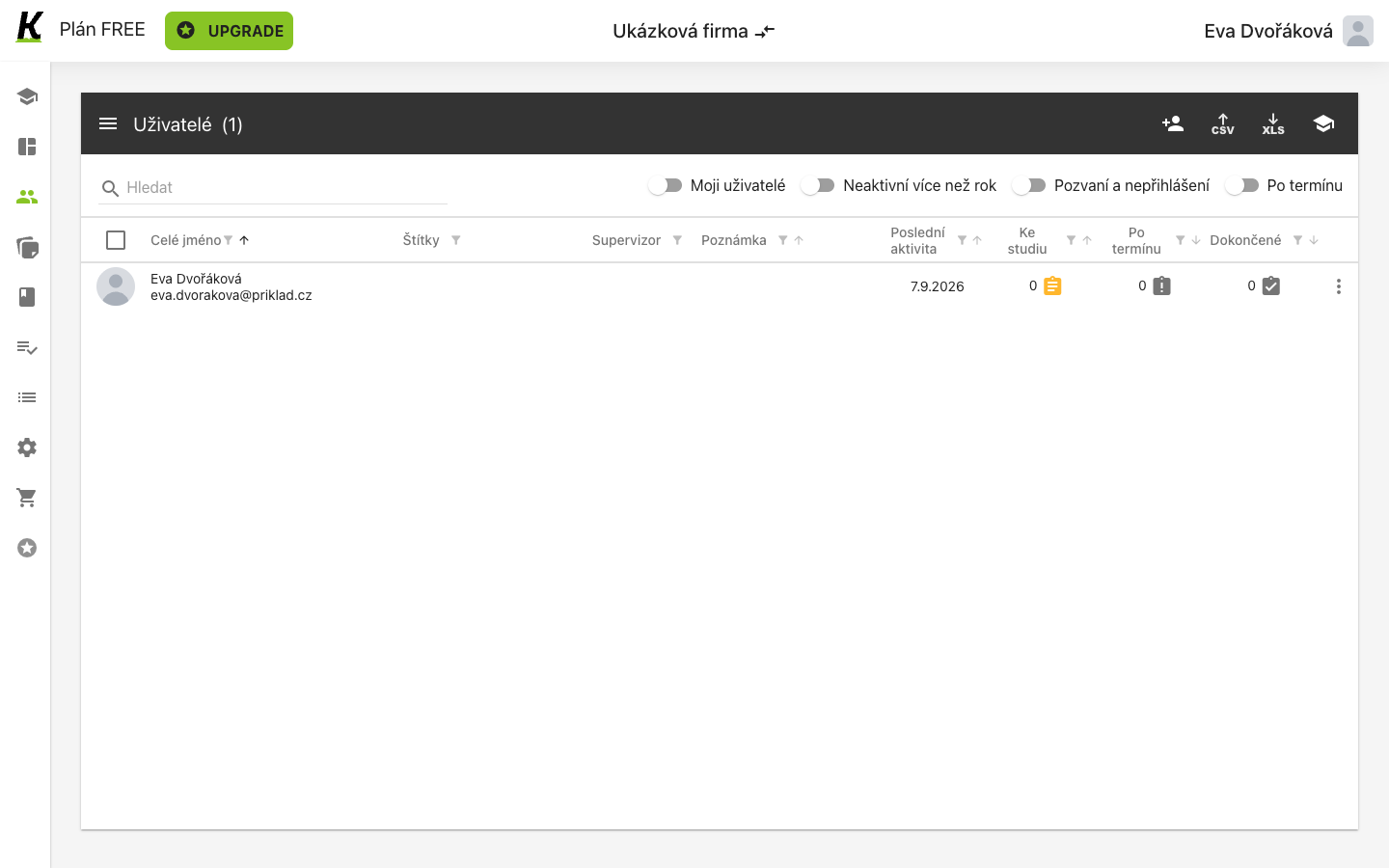
- The person icon adds somebody by address (1).
- CSV is the same job for a whole file of people (2). Choose by how many you have, not by how the two differ — they end in the same place.
- Your own row is the only one, and its Poslední aktivita shows today (3). That column is what step 4 reads.
2. Open the dialog and see the three doors
Section titled “2. Open the dialog and see the three doors”The person icon opens Přidat uživatele, which is smaller than it looks: two fields and one decision, plus two ways out to somewhere else.
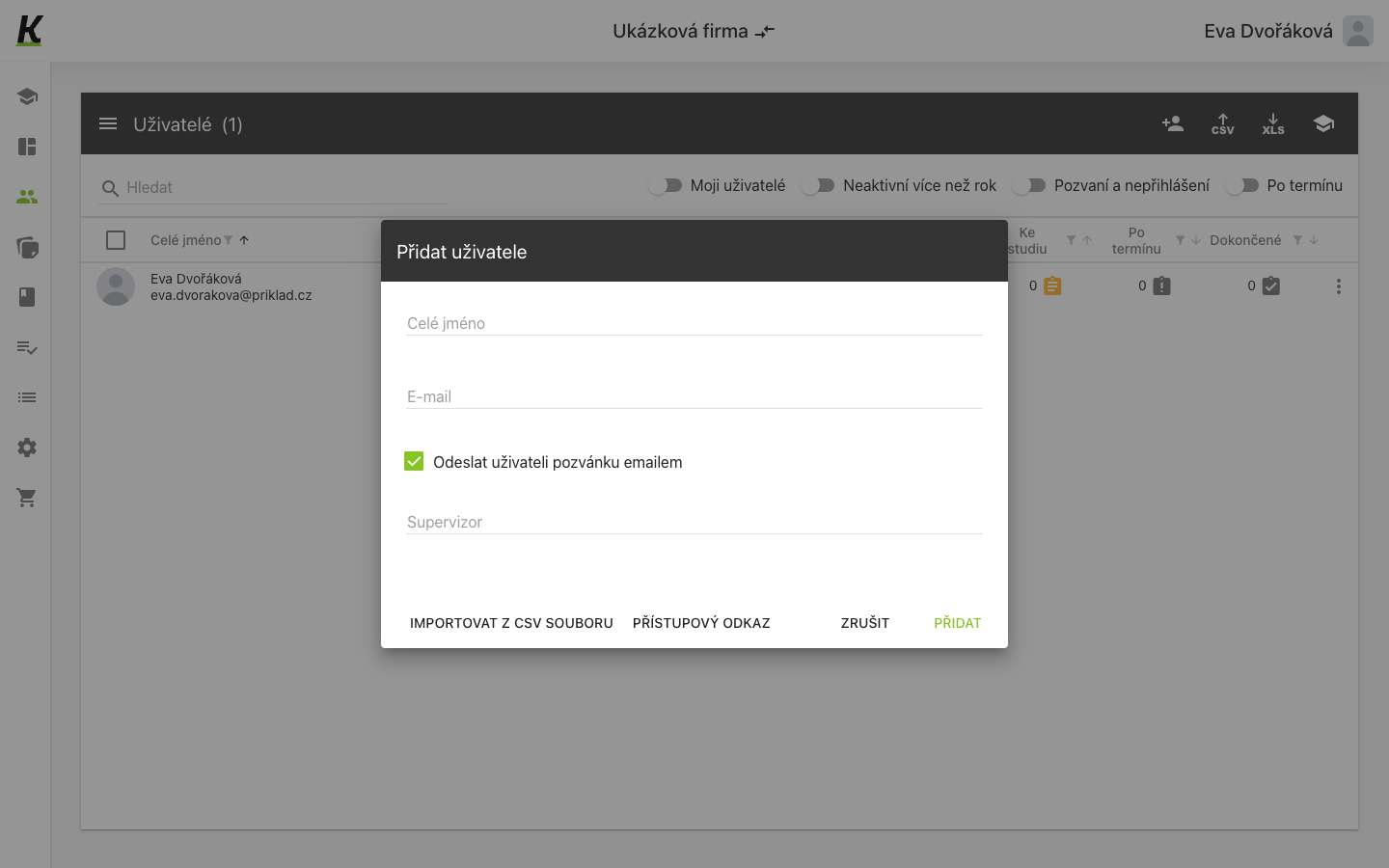
- Celé jméno is how the person appears in every list (1).
- E-mail is the address the invitation goes to, and the identity the person signs in with (2).
- Odeslat uživateli pozvánku emailem arrives already ticked (3). Untick it and the person is created without being told — useful when you are preparing a space before announcing it.
- IMPORTOVAT Z CSV SOUBORU leaves for the bulk route (4).
- PŘÍSTUPOVÝ ODKAZ is a different idea altogether (5): a link that admits whoever opens it, instead of an invitation addressed to one person.
Supervizor is on this dialog too, below the checkbox. It is optional here and can be set later for many people at once from the list’s bulk menu.
3. Fill in the two fields
Section titled “3. Fill in the two fields”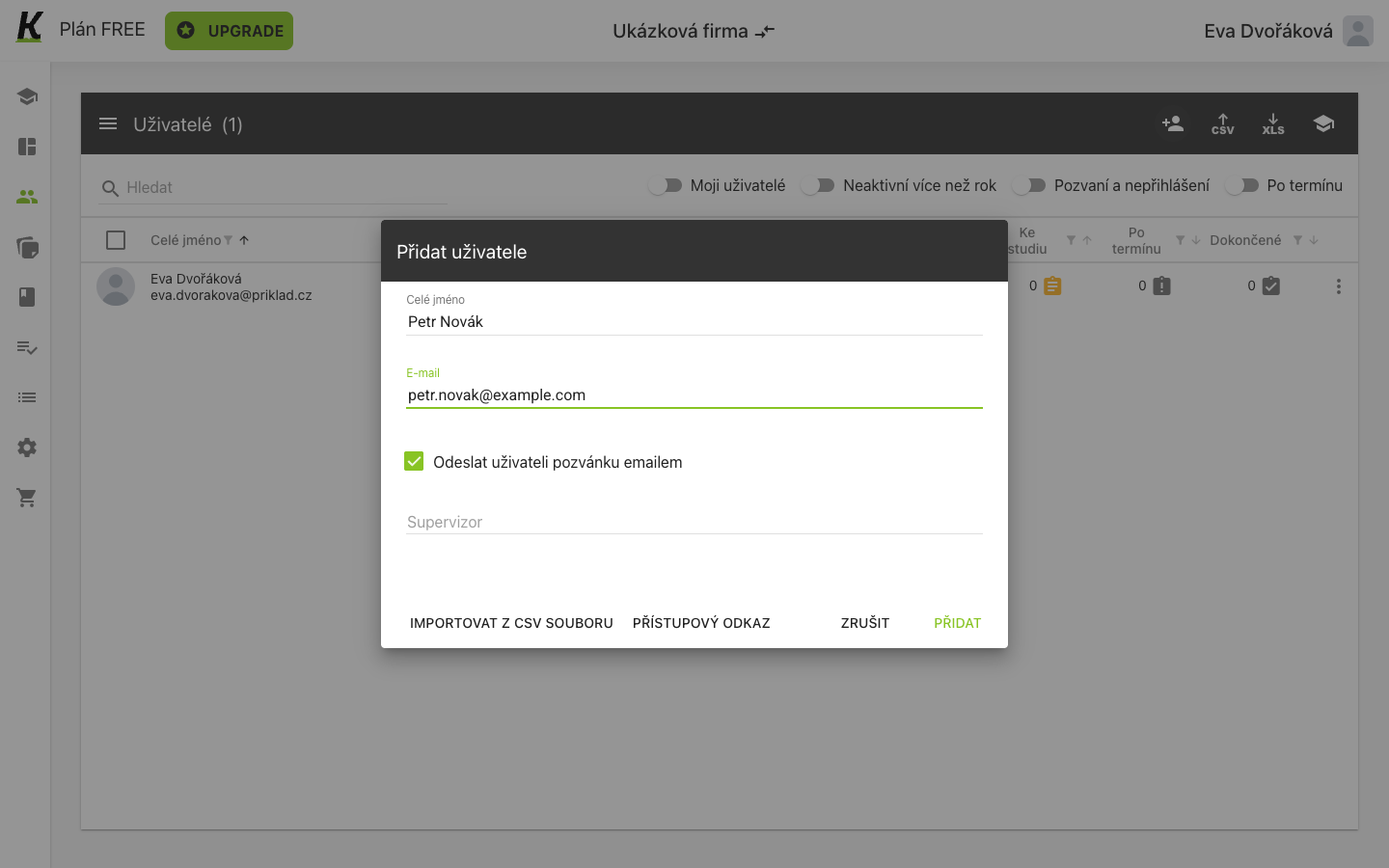
- The address turns green as it becomes valid (1) — that is the field checking its own shape, not the address existing.
- The invitation checkbox is the one decision worth pausing on (2), because it is the difference between a person who gets an e-mail now and a person who finds out later.
- PŘIDAT creates the person and closes the dialog (3). The list’s count goes up immediately.
4. Find out who has not arrived
Section titled “4. Find out who has not arrived”Adding somebody is not the same as them showing up. Pozvaní a nepřihlášení is the filter that separates the two.
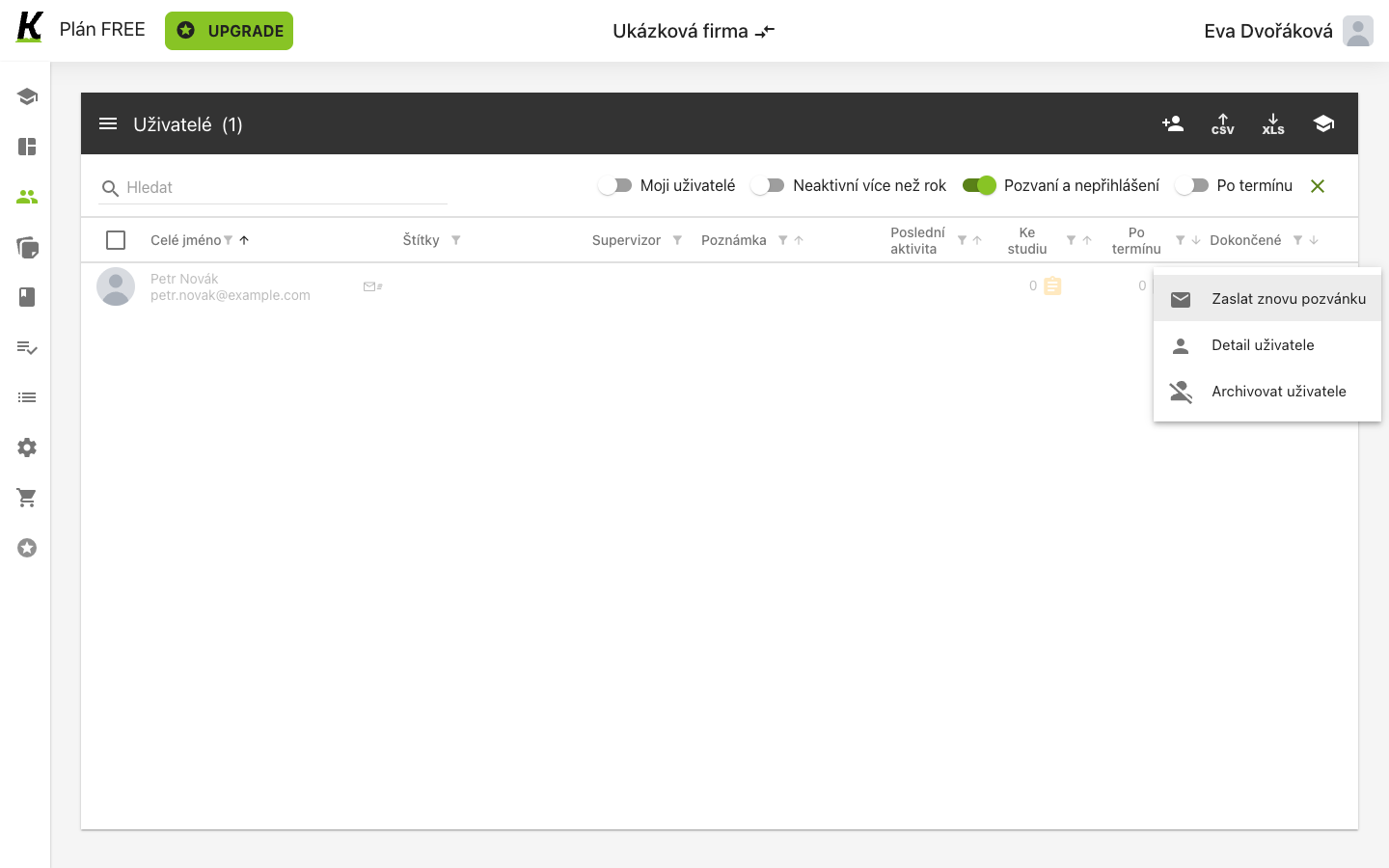
- The filter is on (1), and a cross appears beside the switches to clear every filter at once.
- The name is greyed rather than black, and an envelope sits beside it to say the invitation was sent (2).
- Poslední aktivita is empty (3), because there has not been any. That is the difference between invited and arrived.
- Zaslat znovu pozvánku is in that row’s menu (4) — and only there. Your own row’s menu has two items; a row that is waiting has three.
The count in the header follows the filter. It reads Uživatelé (1) here while the space holds two people, so it is answering “how many match” rather than “how many are there”.
The same resend exists for many people at once, in the bulk menu behind the row of switches, as Poslat vybraným znovu pozvánku.
Where this leaves you
Section titled “Where this leaves you”A space with two people, one of whom has not signed in — the ordinary state of any real space, and the reason the filter exists.
Next: buying content worth assigning, then putting people into groups so a plan can reach more than one person at a time. For the list’s own reference — every column, every filter, every bulk action — see managing users.